
·
Spotify
·
Spotify Advertising: How to Actually Grow Your Streams
Spotify advertising has three paths: Spotify Ads Manager, the Marquee and Showcase promo tools, and the Meta and TikTok ads that actually grow streams.

MeansMGMT
Three things get called Spotify advertising. Only one reliably grows streams at a cost you can measure.
There are three ways to advertise on Spotify, and they are not equally good at growing streams. You can run audio and video ads inside the app through Spotify Ads Manager. You can promote a release with Spotify's own Marquee and Showcase tools, the sponsored recommendations that appear on Spotify Home. Or you can run paid ads on Meta and TikTok that send listeners to a smart link, where they turn into streams, saves, and followers.
TL;DR
"Spotify advertising" means three different things: Spotify Ads Manager, Spotify's Marquee and Showcase promo tools, or paid Meta and TikTok ads that drive listeners to your Spotify.
Spotify Ads Manager (formerly Spotify Ad Studio) runs Audio, Video, Display, and Carousel ads on an auction; you set the budget and run it yourself.
Marquee and Showcase are Spotify's own sponsored recommendations on Home, starting at $100 per sub-campaign (per Spotify), but they keep you inside Spotify's inventory.
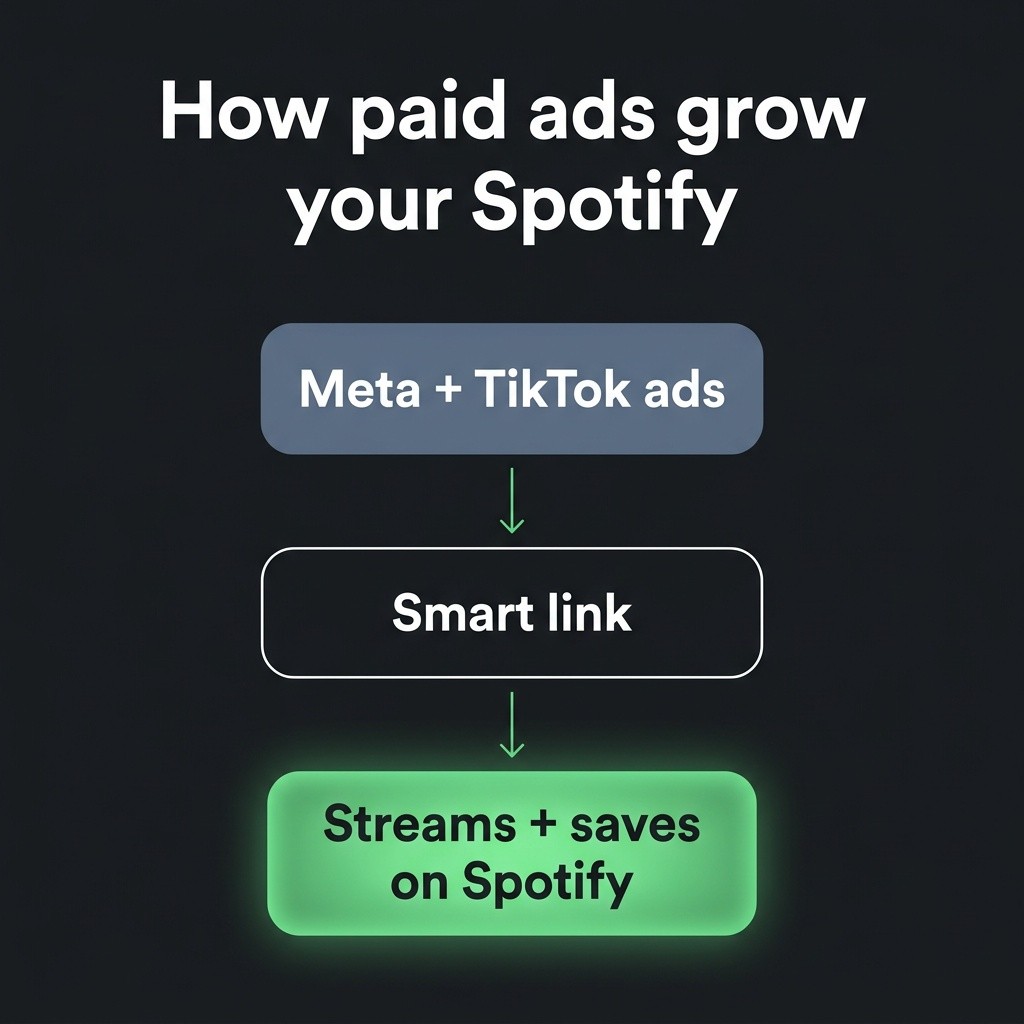
For most artists, paid Meta and TikTok ads into a Spotify smart link grow streams more reliably. They reach listeners where they scroll, and you can work out a cost per stream and per save.
The paid-ads route is the only one that hands you a per-unit cost you can verify by genre and market tier; see the cost breakdown for the numbers.
The three ways to advertise on Spotify
When an artist says they want to advertise on Spotify, they usually mean one of three things. The first is Spotify Ads Manager, Spotify's self-serve platform for audio and video ads that play for free-tier listeners inside the app. The second is Spotify's own promo tools, Marquee and Showcase, which surface a sponsored recommendation of your release on listeners' Spotify Home. The third, and the one that grows streams for most artists, is paid ads on Meta and TikTok. They point listeners to a smart link, a single landing page that opens your track on Spotify. The first two keep your spend inside Spotify's own inventory and ask you to run everything yourself. The third reaches listeners where they already scroll and reports a cost for every click, stream, and save it produces.
Spotify Ads Manager: audio and video ads you run yourself
Spotify Ads Manager, formerly named Spotify Ad Studio, is Spotify's self-serve ad platform, and it's the tool most people mean when they say Spotify ads. You can run four formats inside it (per ads.spotify.com): Audio, Video, Display, and Carousel. Spotify audio ads are the workhorse, a spoken or musical spot that plays between songs for free-tier listeners, with a clickable companion image. It is free to open and priced by an auction, so you set a budget and manage the campaign yourself, the way you would any DIY ad tool. Spotify's premium placements, like Sponsored Playlists and Homepage Takeovers, are not in the self-serve tool at all; those run through a Spotify sales rep at four-to-five-figure budgets. For an artist, Ads Manager keeps you inside Spotify's own inventory and asks you to build and run the campaign. On most release budgets it grows streams more slowly than pointing Meta and TikTok audiences at your Spotify. If you want to run it, here are the ad formats inside Spotify Ads Manager.
Marquee and Showcase: Spotify's own promo tools
Marquee and Showcase are Spotify's Campaign Kit, a separate set of promo tools inside Spotify for Artists, Spotify's free dashboard for artist teams. Marquee is a full-screen sponsored recommendation of a new release, shown to listeners Spotify judges most likely to stream it (per Spotify). Showcase does the same job as a sponsored card on Spotify Home, with one difference: it can promote any release at any time, while Marquee is limited to new releases. Both start at a $100 minimum per sub-campaign (per Spotify), and you run both yourself inside Spotify for Artists. They're useful for nudging listeners who already know you back toward a release. Like Ads Manager, they keep your spend inside Spotify's inventory, and you set up and manage the whole campaign. They reach people already on Spotify. They don't pull new listeners in from the feeds where people spend their time.
How paid Meta and TikTok ads actually grow your streams
The approach that grows streams for most artists runs on Meta and TikTok, not on Spotify. You build an audience on Instagram, Facebook, and TikTok with interest and lookalike targeting, and run short audio-led or video creative built around the track. Everyone who responds lands on a smart link that opens your song on Spotify. The listener taps an ad in the feed they already scroll, lands on your music, and the click turns into a stream, often a save, and sometimes a follow. The ad does the reach and the smart link sends the listener to Spotify. We cover who runs this kind of Meta campaign in who runs Meta ads to grow Spotify. Because every step is tracked, you can see what a click costs on the ad platform and read the resulting stream lift in Spotify for Artists. You can move budget toward the audience, creative, and market that produce streams at the lowest cost, and you can prove it happened. Ads inside Spotify don't give you that control.
What it costs, and what you can measure
The Meta and TikTok route costs a per-unit amount, and it swings several-fold by genre and market tier. A Pop release in premium markets runs around $0.035 per stream and $0.45 per save. A Rap or Hip-Hop release in the same markets runs closer to $0.088 per stream but only about $0.20 per save. Both figures come from MeansMGMT internal data (9 artists, $808K+ spend across Meta, Google, and TikTok, 2026 H1). Genre moves the number more than budget does, so a single quoted price is close to meaningless. The full table by genre and tier is in what it costs per stream and per save by genre. A paid campaign gives you a cost per click, cost per stream, cost per save, and a post-campaign retention curve, all tied to the spend. You can compare creatives and markets and put the next dollar behind what worked. Playlist-push services report a stream count you can't verify yourself (see how this compares to the playlist-push approach). We measured exactly these numbers in a six-million-stream Spotify campaign we ran, and the same framework anchors our 2025 music advertising report.
Which path fits your release
Pick the route by what you are trying to do and how much you want to run yourself. Run paid Meta and TikTok ads into a smart link if you want stream growth you can measure and repeat, which covers most releases on most budgets. It pulls new listeners from the feeds they already use and prices every stream and save. Use Spotify Ads Manager if you specifically want an audio or video spot playing inside Spotify and you are prepared to build and run the campaign yourself. Use Marquee or Showcase if you mostly want to re-engage listeners who already know you, around a release, and the $100-per-sub-campaign floor fits your plan. All three can have a place, but only the Meta and TikTok route reliably grows a release from a standing start at a cost you can check. Put most of the budget there and treat the other two as add-ons.
How MeansMGMT grows artists on Spotify
MeansMGMT, a Pittsburgh-based music marketing agency founded in 2017, grows artists on Spotify the way this guide describes. We run measurable paid campaigns on Meta, Google, and TikTok that point listeners to your music on Spotify. We report the cost per click, per stream, and per save behind every one, with the genre and market tier named on each figure. We're not a playlist-push or guaranteed-streams service. Everything runs on the client's own ad accounts and links, so the audience and reporting data stay with you if we part ways. We've managed $2M+ in ad spend across 600+ campaigns and 550M+ streams since 2017. On every release we show the math, own the data, and let the per-unit cost decide what runs next.
FAQ
Questions we get
If you have a release coming, start with two quick questions, about three minutes in total, and we’ll scope your campaign. Want the numbers first? The benchmarks report is free.

